
Last updated: 13 November 2026
Can’t get into your account? Don’t worry, it happens to everyone. This guide walks you through the Diwa Game login process on the Diwa App in simple steps, from entering your mobile number to resetting a forgotten password. We’ve also added quick fixes for common errors and safety tips, so you can sign in to Diwa Games without confusion.

How to Login to Diwa Game Account
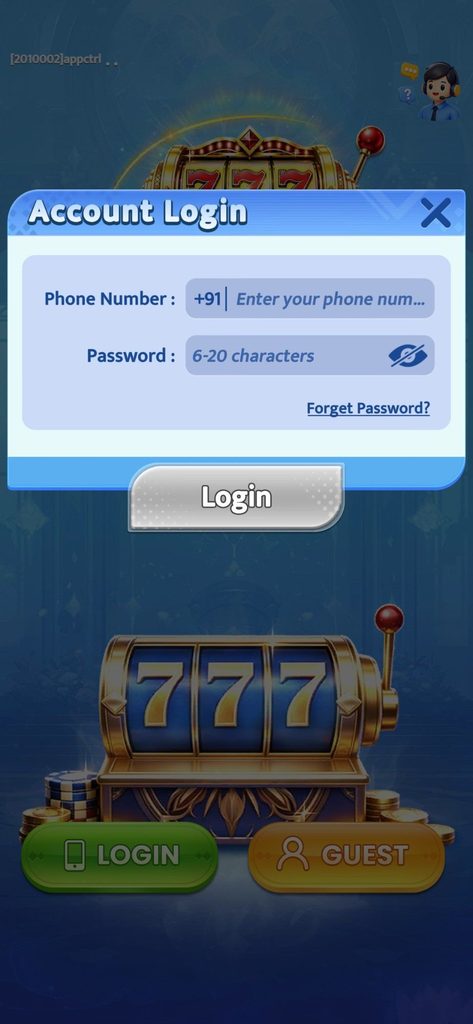
- Open the Diwa Game app on your phone.
- Tap the Login button on the home screen.
- In the Account Login box, enter your registered 10-digit mobile number (the +91 code is already selected).
- Enter your password (6–20 characters). Tap the eye icon to check what you typed.
- Tap Login to enter your account.
Guest option: The home screen also shows a Guest button. Guest mode is for trying the app only. Use your registered login to keep your account data and wallet safe.
Diwa Game Login Details at a Glance
| Detail | Info |
|---|---|
| Login Method | Mobile Number + Password |
| Country Code | +91 (India) |
| Password Length | 6–20 characters |
| Guest Access | Available |
| Password Recovery | “Forget Password?” option |
| Age Requirement | 18+ only |
Forgot Your Password?
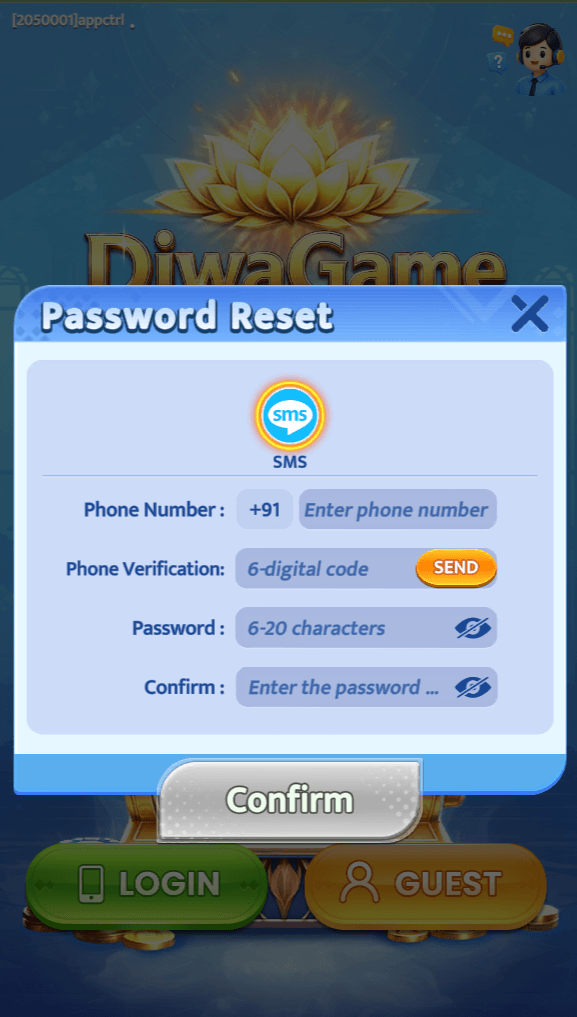
- On the login box, tap Forget Password?
- Enter your registered mobile number.
- Verify the OTP sent to your phone.
- Set a new password and log in again.
Login Not Working? Try These Fixes
- Wrong number or password: Re-enter carefully, with no extra spaces.
- Slow or failed login: Switch between Wi-Fi and mobile data.
- App not responding: Close the app fully and reopen it.
- Outdated app: Install the latest version from the official source.
- Still stuck: Use the in-app support (headset icon, top right).
Stay Safe While Logging In
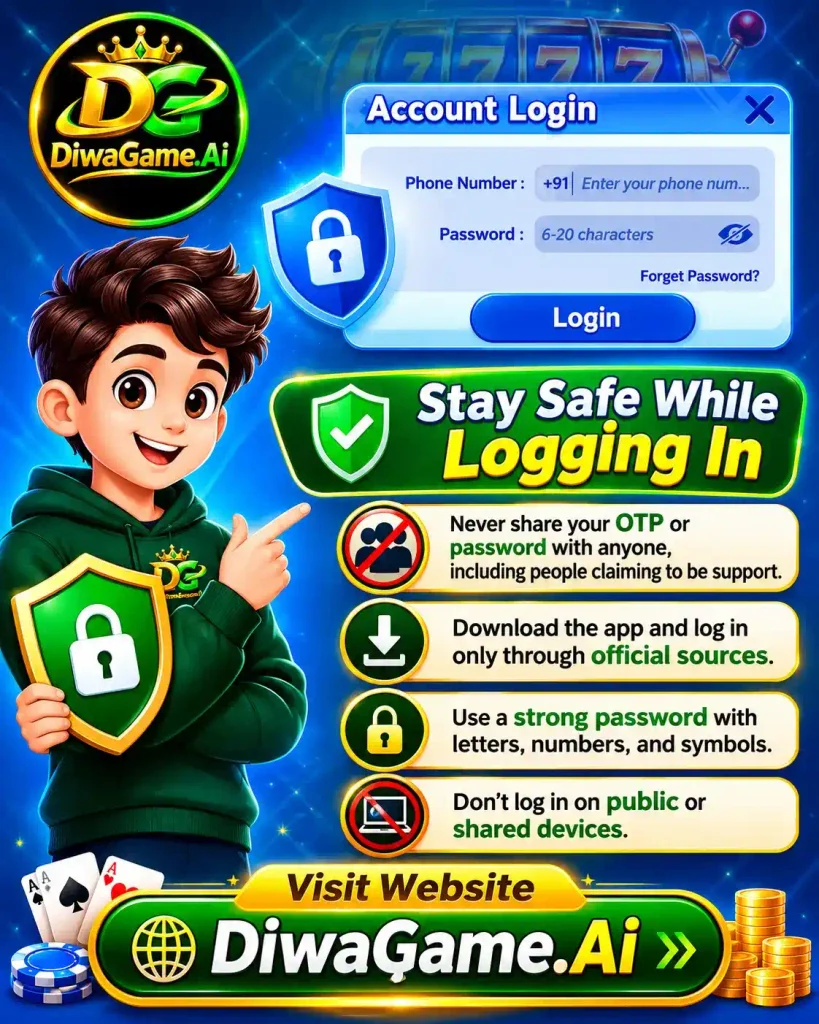
- Never share your OTP or password with anyone, including people claiming to be support.
- Download the app and log in only through official sources.
- Use a strong password with letters, numbers, and symbols.
- Don’t log in on public or shared devices.
Frequently Asked Questions – Diwa Game
What do I need for Diwa Game login?
You need your registered 10-digit mobile number and your account password.
How do I login to Diwa Game on Android?
Open the app, tap Login, enter your mobile number and password, then tap Login again.
I forgot my password. What should I do?
Tap “Forget Password?” on the login box, verify the OTP sent to your registered number, and set a new password.
What is the password length for Diwa Game login?
Your password must be 6 to 20 characters long.
Can I login without a password?
Guest mode is available for trying the app. A full account needs your registered mobile number and password.
Why is my Diwa Game login not working?
Common reasons are a wrong number or password, a weak internet connection, or an outdated app. Check these first.
Is Diwa Game login free?
Logging in is free. Check the app for current terms before using any feature.
Can I use the same account on two phones?
You can log in on another phone with the same details. For safety, avoid shared or public devices.
Is it safe to share my OTP or password with support?
No. Never share your OTP or password with anyone, including people who claim to be support.
Do I need to update the app to login?
An outdated version can cause login errors. Install the latest version from the official source.
Who can use Diwa Game?
Only users aged 18 or above.
Where can I get help if login still fails?
Use the in-app support (headset icon, top right) or check the official platform for help.
Final Thoughts
Logging in to Diwa Game is simple once you know the steps: enter your registered mobile number, add your password, and tap Login. If you get stuck, use the “Forget Password?” option or try the quick fixes above. Always keep your OTP and password private, and open the Diwa App only through official sources.
Disclaimer: DiwaGame.Ai is an independent informational website. We don’t operate any gaming platform or handle accounts or payments. Gaming involves financial risk, so play responsibly and only if you are 18+.